NEW 4.9.1
Forecast filters are available in Project and Sub Project level forecast reports. Learn how using the forecast filters can help with your companies Synergy forecast reports. NEW 4.9.1
 Getting Started
| Who Can Use It? | Where Is It? |
|---|---|
|
Assistant Project Manager Project manager Director Administrator System Administrator |
Reports > Edit Report > Filters tab |
Tips:
Forecast financial filters are available for use in Project and Sub Project level forecasting reports. These filters allow you to search your data for forecast values that fall within a selected revenue value range, or where the value greater than, less than, equal to a chosen value. Filters can be applied for forecast values like fees, invoiced values, forecast totals, and forecast monthly values. Forecast filters can also been used to compare two different forecast financial field values. For example compare the forecast residual fee against the invoiced value for the sub project.
When running forecast reports apply a financial filter to restrict reports to show only projects or sub projects where the forecast value has been entered, or is within a revenue range, or greater/less than an entered value.
Finding the forecast filters
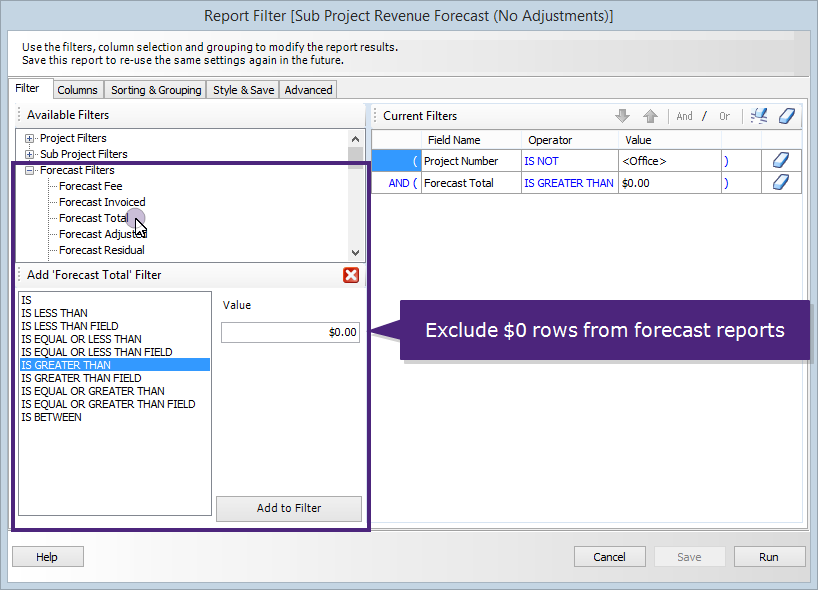
The financial filters are shown in the report > filters panel. They are shown for forecasting reports for both Project and Sub Project types. The filters can be found by opening Reports, then selecting the edit button in the toolbar. On the filters panel that opens the forecast filters are shown in their own group at the end of the list. Click the '+' button on the forecast group to see what filtering options are available.
Click the image above to see Sub Project Forecast Filters.
Sub Project Reports - example
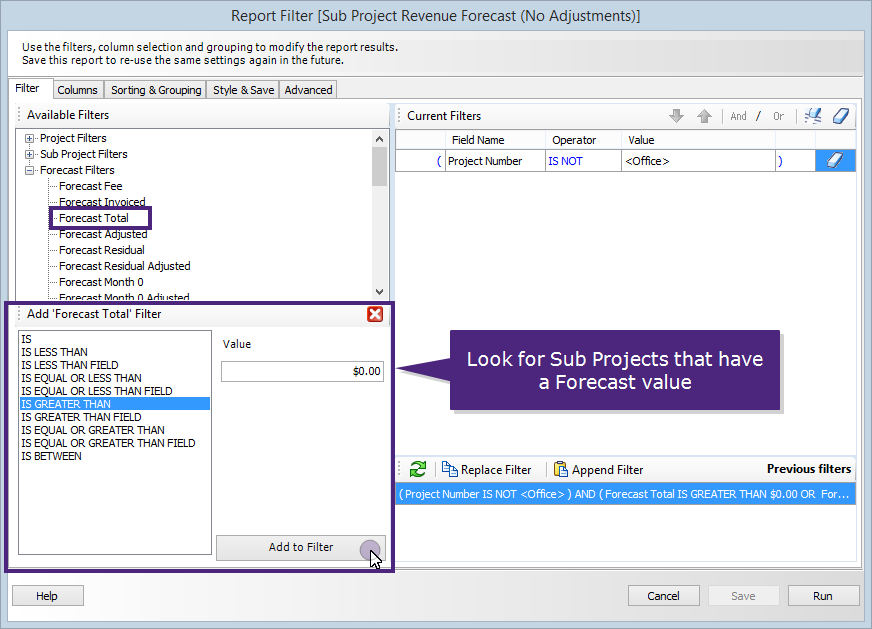
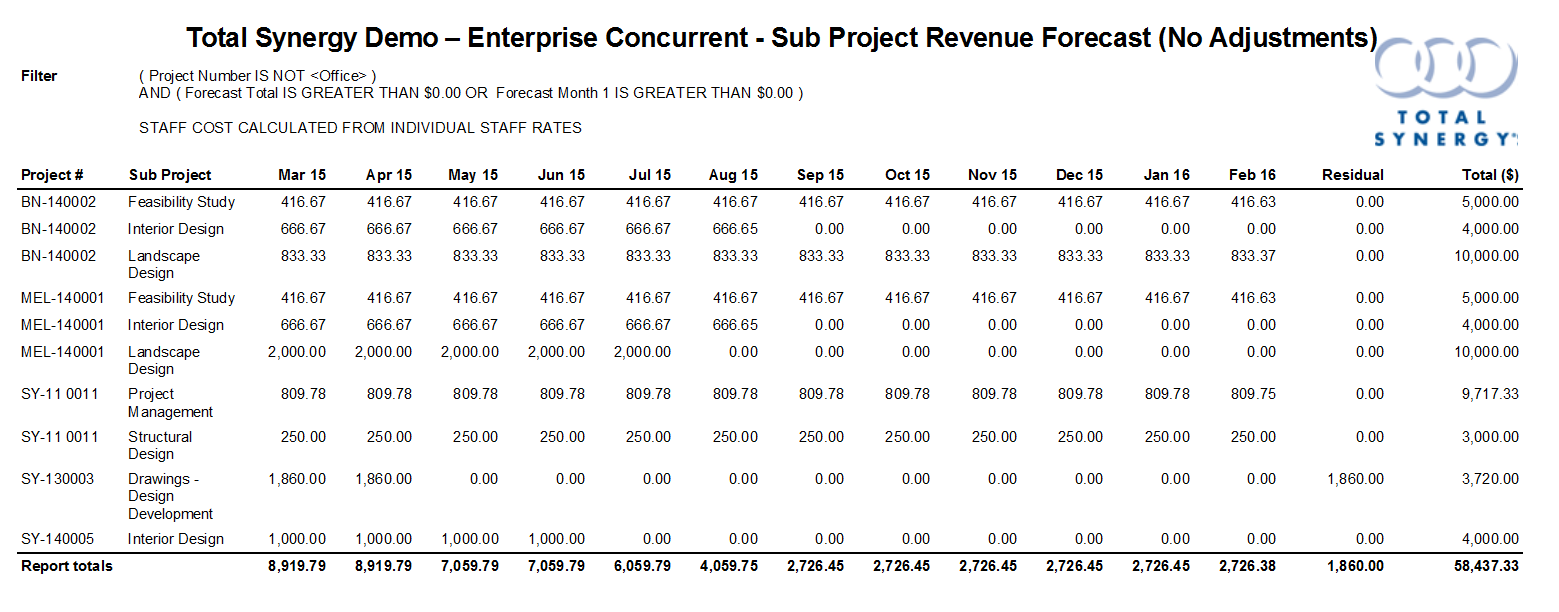
The manager Simon Waters is working on several Synergy projects and wants to get a quick snapshot of all the projects where a forecast value has been entered. The report should also include any sub projects that have a forecast value entered in any future months or in the next months forecast.
To create this report:
Click the image above to view the sub project forecast filters.
Click the image above to see the monthly forecast filter options.
Click the image above to view the report columns.
Click the image above to view the created sub project forecast report.
Looking for more help? Try reviewing the following topics: View Topics
© 2019 Total Synergy Pty Ltd